Technical
Internal parameters for diagnostic use only.
| Parameter | Description |
| diag dumphid |
Dumps the hid report descriptor to a file for a given controller. The controller's USB vendor and product id is held as part of the file name as seen in this example: 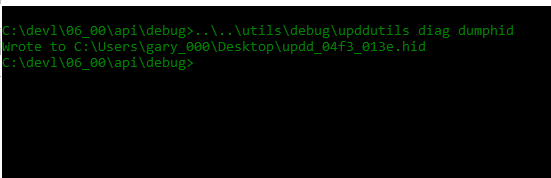 |
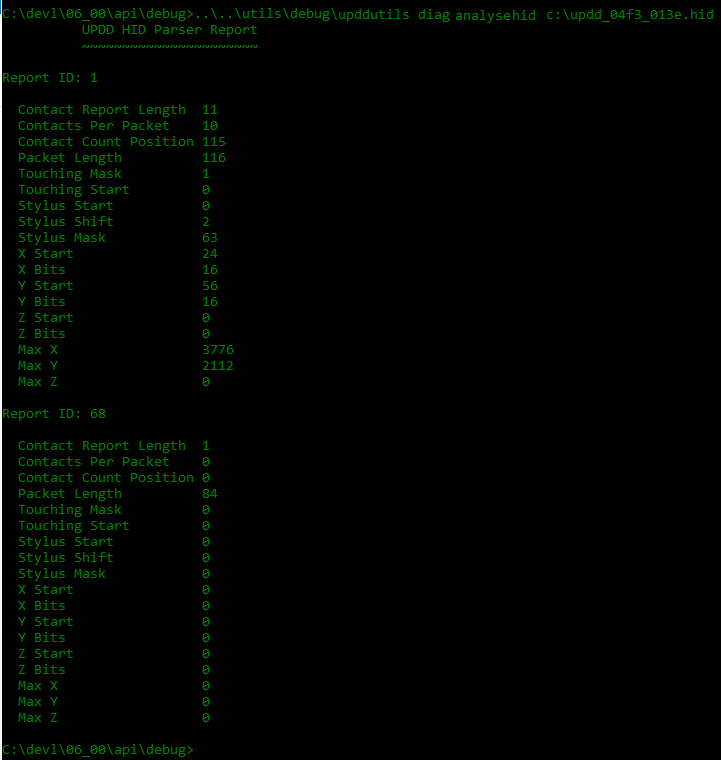
| diag analysehid |
Decodes the descriptor to a format useful to help configure a new controller. File to be in the format as created by the "diag dumphid" parameter
|
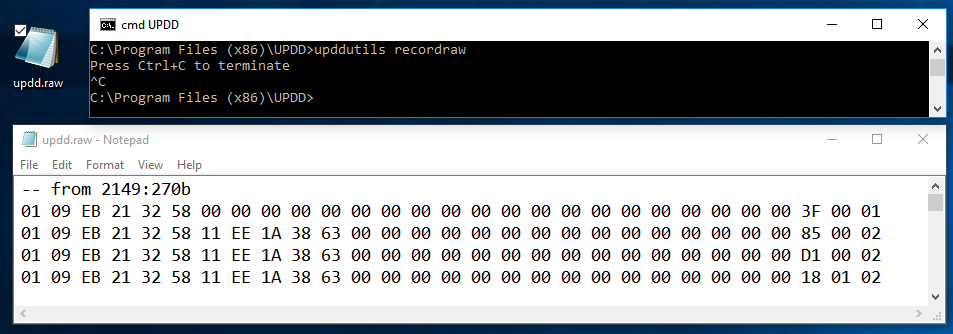
| recordraw <fn> |
Captures all raw incoming touch data to a desktop file updd.raw unless a full pathname is specified:
|
| playbackraw <fn> | Plays back data captured with the recordraw command |
| selftest <wait secs> |
Generate calibration or 'draw circle' touches for remote testing purposes upddutils selftest <wait secs> calibrate|circle e.g. upddutils selftest 10 calibrate wait 10 seconds then generate 4 clicks to simulate a calibration. |
| Notify ##N | Show the associated notification : ##1 = Config error no hidrd ##2 = Unable to register KEXT, click here for more information ##3 = Please run Identify, click here for more information ##4 = Identifying monitors; please don't use touch or mouse ##5 = Monitor assignment requires a reboot ##6 = Evaluation: 20 touches remain until restart needed ##7 = Monitor identification complete ##8 = The package license has expired ##9 = The evaluation period has expired ##10 = %1 touch limit expired; reboot to continue ##11 = %1 disconnected ##12 = %1 connected ##13 = No mouse interface; reboot may be required ##14 = No touch interface; reboot may be required ##15 = Change of OS version, UPDD update may be required. Click here to close |