It was discovered that touch does not function correctly when using multi-window mode of the app and pressing on a specific button on a window in the background while another window had focus.
This bug was in all versions of Mixing Station until V2.7.2 , released end of Feburary 2026.
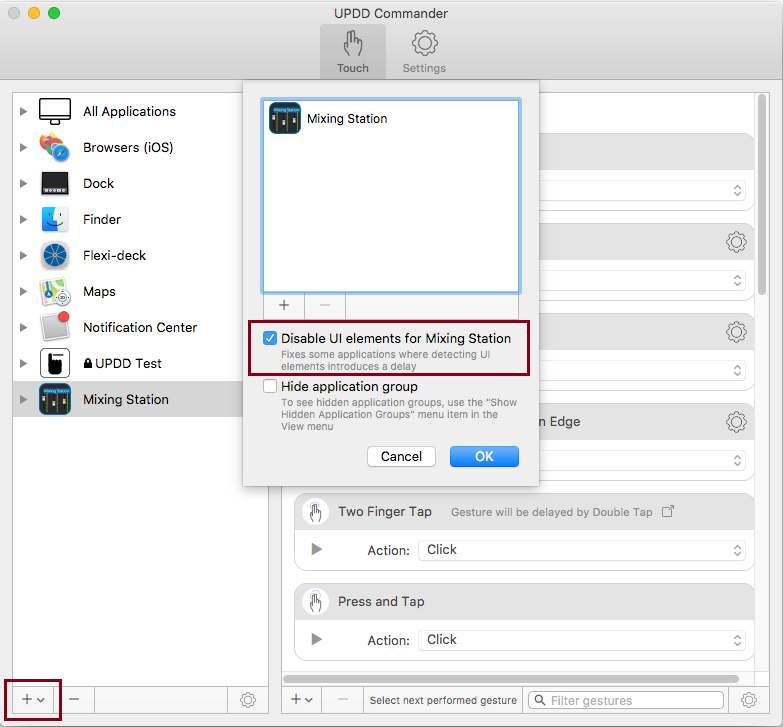
The Mixing Station application available here: https://dev-core.org/mixing-station/ previously needed to have the Click Nearest UI Element disabled as below.
However, the Mixing Station released Oct 2023, version 2.0.0 (422), fully integrates with the UPDD driver to handle touches directly in the application.
When the Mixing Station app is found on the system, UPDD Commander should load the Mixing Station preset to configure Commander to correctly work with the integrated touch version.
Previous version setup
Disable the setting for One Finger Tab and One Finger Press
"
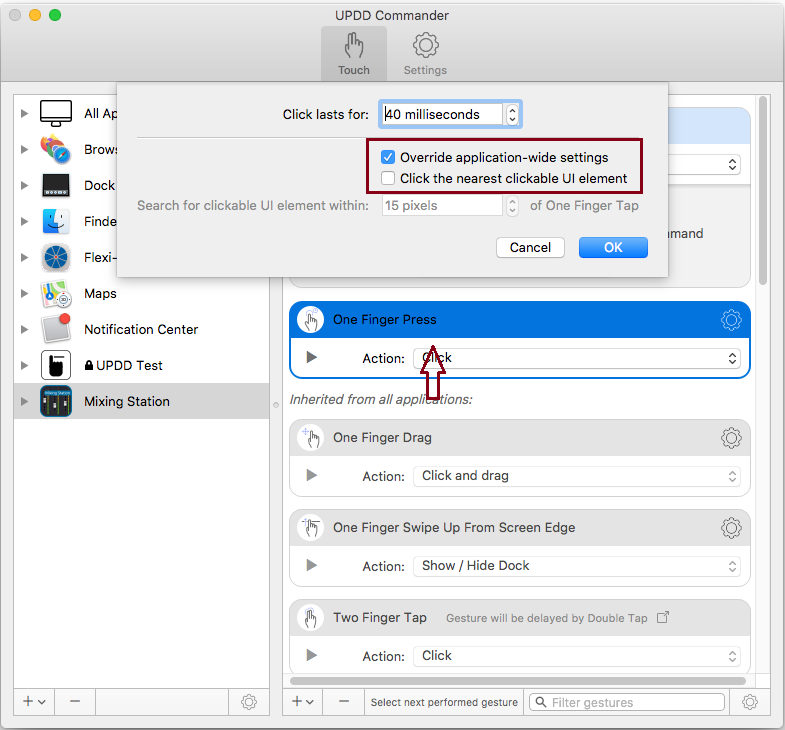
Notes:
One customer reported this strange observation...
"The behaviour is as if the touch is not considered as a mouse click. For example, if I touch a button, it behaves as if my mouse pointer is on it, and not as if I click it. Faders are buggy, I can't open eq or anything from the app."
He discovered that if he selected "Pass touches when other touch or pen devices are in use" under Mixing Station, "Pass All Touches to UPDD Client App" gesture - it all worked OK.
We have no idea why this would be the case as it bears no relevance to the issue observed.